
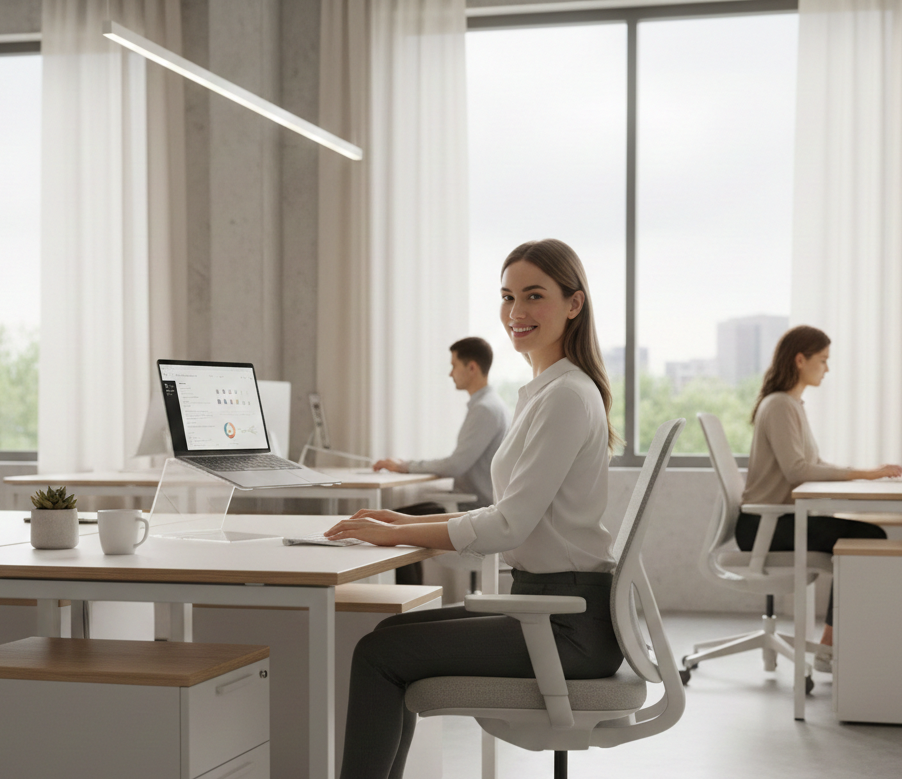
Ever catch yourself slouching after hours at your desk, with that nagging ache in your neck or back creeping in? You’re not imagining it—Poor posture is frustratingly common for desk workers like us. This guide cuts through the noise to help you improve posture while working at a desk, uncover why it goes wrong, and share easy fixes that actually stick. No gimmicks, just real relief.
Why Desk Posture Problems Are So Common
Sitting all day feels harmless, right? No heavy lifting or intense physical work, just you and your screen. But your body rebels against staying in one position for hours.
When you sit at a desk for long periods:
- Muscles stop supporting your spine properly
- The head moves forward toward the screen
- Shoulders hunch in
- Your core checks out
That “normal” discomfort? It’s your wake-up call.
Signs Your Desk Posture Needs Attention
It sneaks up on you, doesn’t it? One day you’re fine, the next you’re rubbing your neck.
Watch for these red flags:
- Neck and shoulder tightness
- Upper or lower back pain
- Stiffness when you finally stand
- Exhaustion without real effort
- Slouching without noticing
Your body’s whispering—listen before it shouts.
How to Fix Bad Posture When Sitting at a Desk
The fix isn’t about forcing it; it’s about smart awareness. Let’s break it down.
Step 1: Set Up Your Desk the Right Way
Your setup is half the battle—get it wrong, and good posture feels impossible.
Nail these:
- Feet flat on the floor or a footrest
- Screen at eye level (no craning down)
- Chair supporting your lower back
- Elbows tucked close, bent easy
Suddenly, staying aligned feels natural.
Step 2: Sit Actively, Not Rigidly
Forget “perfect straight”—that’s a tension trap.
Try this instead:
- Sit tall but relaxed
- Let your shoulders drop naturally
- Stack your head over your shoulders
Relaxed support beats stiff strain every time.
Proper Sitting Posture at Computer Work
At your desktop, small tweaks keep you aligned without effort.
- Sit with your hips a tad higher than your knees
- Keep your keyboard close—no reaching
- Forearms resting lightly
- Spine supported, not locked
It flows, so you forget you’re even “posturing.”
Correct Posture at Desk with Laptop
Laptops beg for slouching with their low screens—I’ve been there, chin to chest.
Quick fixes:
- Raise it up with books or a stand
- Add an external keyboard if possible
- Eye-level screen, please
These hacks transform hunch-time into comfort zone.
Correct Sitting Posture While Studying
Students, you’re not immune—bed-studying marathons wreck havoc.
Swap for:
- Desk with back support
- No bed for hours
- Breaks to reset posture
Better alignment sharpens focus, eases the grind.
Can You Correct Years of Bad Posture?
That sinking feeling of “too late”? Shake it off—yes, you usually can.
It’s often just weak muscles, tight spots, and habits, not permanent damage.
Stick with changes, and muscles rebuild support, knots unwind. Weeks or months in, you’ll stand taller. Patience wins.
How to Improve Posture While Working at a Desk All Day
You don’t need long workouts.
You need frequent small resets.
Use Posture Reminders, Not Willpower
Willpower fades; reminders don’t.
- Ping every 30–60 minutes
- Quick check and tweak
- Done—habit forms fast
Stress-free awareness builds the muscle memory.
Add Simple Movement Breaks
Static sitting kills; motion revives.
- Stand up every hour
- walk 1–2 minutes
- Roll shoulders, gentle stretch
Reset beats perfection.
Common Posture Misconceptions
Myths trip us up—let’s bust them.
- “Good posture means staying stiff”? Nope, it’s relaxed flow.
- “I need special equipment”? Habits matter more than tools.
- “Posture problems are permanent”? Time and consistency reverse most issues.
When Posture-Related Pain Is Normal vs Serious
Mild stiffness after hours or occasional discomfort? usually normal.
Get professional advice if you notice:
- Weeks of pain
- Numbness or tingling
- Sharp, worsening aches
- Sleep disruptors
Catch early, protect long-term.
Simple Daily Posture Routine for Desk Workers
Keep it dead simple—results compound.
- Check posture every 30–60 minutes
- Take short stand/walk breaks
- Light stretches: neck, shoulders, hips
- Tweak desk setup as needed
Consistency over intensity—your back thanks you.
Frequently Asked Questions
How to fix bad posture when sitting at a desk?
Improve your desk setup, sit in a relaxed upright position, and take frequent movement breaks. Avoid forcing posture for long periods.
Can you correct years of bad posture?
In most cases, yes. Poor posture is usually habit-based and improves with consistent adjustments and movement.
What is the proper sitting posture at a computer?
Feet flat, back supported, screen at eye level, shoulders relaxed, and elbows close to the body.
How often should I check my posture?
Every 30–60 minutes is ideal. Regular small adjustments work better than one long correction.
Final Thoughts
Improving posture while working at a desk isn’t about flawless form—it’s gentle awareness, tiny shifts, and moving more. Ditch the force; embrace the ease. Your body knows the way—trust it. These daily habits safeguard your comfort and future you.
👉 Subscribe for more health-related tips and simple, desk-friendly solutions.
